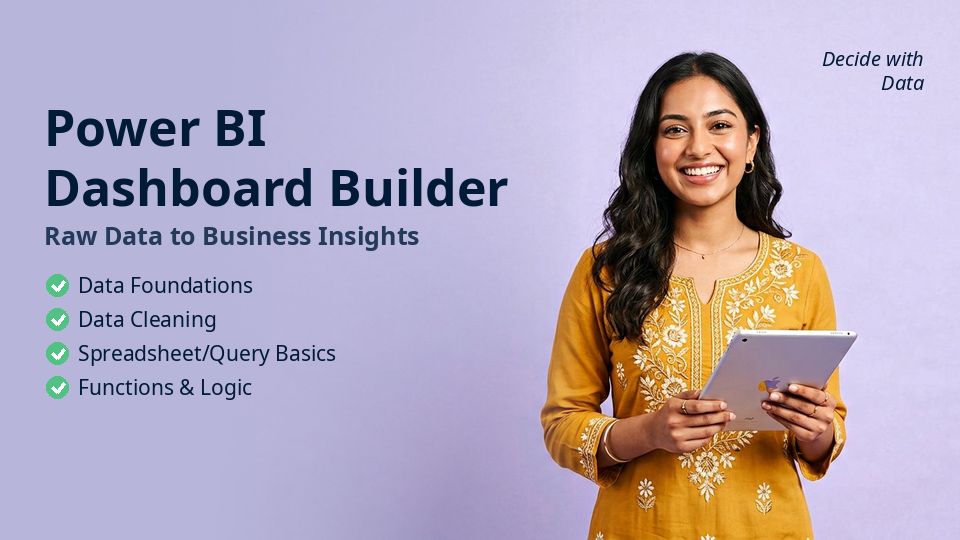
About This Course
Power BI Dashboard Builder is a complete, project-based course — Raw Data to Business Insights . It is built for learners in Bangladesh who want practical skills that translate into real income, real jobs and real opportunities, and it works just as well for learners anywhere in the world.
Across 12 modules and 60 lessons (about 14 hours), you will work through Data Foundations, Data Cleaning, Spreadsheet/Query Basics, Functions & Logic and more. Every chapter follows the same rhythm: key concepts, a hands-on step-by-step demo, applying it to your own project, and a real-world practice task.
The course is available in both Bangla and English with lifetime access, downloadable resources and a verifiable certificate on completion. You can ask mentors questions in the community at any time.
What You'll Learn
Master data Foundations — from concept to real application Master data Cleaning — from concept to real application Master spreadsheet/Query Basics — from concept to real application Master functions & Logic — from concept to real application Master data Modeling — from concept to real application Master analysis Workflow — from concept to real application Build real projects and portfolio pieces as you learn Follow a clear next-step roadmap to jobs, clients or income
Requirements A laptop or smartphone with internet No prior experience needed — we start from zero Willingness to practise 30–45 minutes a day Who this course is for Job seekers targeting analyst / MIS / reporting roles Business students and finance professionals Anyone who works with numbers every day
Course Content
12 modules · 20 chapters · 60 lessons · 14 hours total
Expand all
1
Data Foundations
6 Lessons · 1h 21m
Chapter 1.2 Data Foundations: Setup / Framework
Data Foundations — key concepts for Power BI Dashboard Builder
18m
Hands-on: Data Foundations step-by-step
16m
Apply it to: Raw Data to Business Insights
10m
2
Data Cleaning
6 Lessons · 1h 29m
Chapter 2.1 Data Cleaning: Setup / Framework
Data Cleaning — key concepts for Power BI Dashboard Builder
16m
Hands-on: Data Cleaning step-by-step
14m
Apply it to: Raw Data to Business Insights
16m
Chapter 2.2 Data Cleaning: Hands-on Workflow
Data Cleaning — key concepts for Power BI Dashboard Builder
15m
Hands-on: Data Cleaning step-by-step
9m
Apply it to: Raw Data to Business Insights
19m
3
Spreadsheet/Query Basics
6 Lessons · 1h 33m
Chapter 3.1 Spreadsheet/Query Basics: Hands-on Workflow
Spreadsheet/Query Basics — key concepts for Power BI Dashboard Builder
11m
Hands-on: Spreadsheet/Query Basics step-by-step
13m
Apply it to: Raw Data to Business Insights
19m
Chapter 3.2 Spreadsheet/Query Basics: Real-World Example
Spreadsheet/Query Basics — key concepts for Power BI Dashboard Builder
20m
Hands-on: Spreadsheet/Query Basics step-by-step
10m
Apply it to: Raw Data to Business Insights
20m
4
Functions & Logic
6 Lessons · 1h 17m
Chapter 4.1 Functions & Logic: Real-World Example
Functions & Logic — key concepts for Power BI Dashboard Builder
14m
Hands-on: Functions & Logic step-by-step
12m
Apply it to: Raw Data to Business Insights
10m
Chapter 4.2 Functions & Logic: Mistakes & Troubleshooting
Functions & Logic — key concepts for Power BI Dashboard Builder
13m
Hands-on: Functions & Logic step-by-step
15m
Apply it to: Raw Data to Business Insights
13m
5
Data Modeling
6 Lessons · 1h 25m
Chapter 5.1 Data Modeling: Mistakes & Troubleshooting
Data Modeling — key concepts for Power BI Dashboard Builder
9m
Hands-on: Data Modeling step-by-step
15m
Apply it to: Raw Data to Business Insights
13m
Chapter 5.2 Data Modeling: Optimization / Advanced Practice
Data Modeling — key concepts for Power BI Dashboard Builder
18m
Hands-on: Data Modeling step-by-step
20m
Apply it to: Raw Data to Business Insights
10m
6
Analysis Workflow
6 Lessons · 1h 21m
Chapter 6.1 Analysis Workflow: Optimization / Advanced Practice
Analysis Workflow — key concepts for Power BI Dashboard Builder
12m
Hands-on: Analysis Workflow step-by-step
14m
Apply it to: Raw Data to Business Insights
12m
Chapter 6.2 Analysis Workflow: Concept & Why It Matters
Analysis Workflow — key concepts for Power BI Dashboard Builder
15m
Hands-on: Analysis Workflow step-by-step
9m
Apply it to: Raw Data to Business Insights
19m
7
Visualization
6 Lessons · 1h 33m
Chapter 7.1 Visualization: Concept & Why It Matters
Visualization — key concepts for Power BI Dashboard Builder
19m
Hands-on: Visualization step-by-step
13m
Apply it to: Raw Data to Business Insights
11m
Chapter 7.2 Visualization: Setup / Framework
Visualization — key concepts for Power BI Dashboard Builder
20m
Hands-on: Visualization step-by-step
18m
Apply it to: Raw Data to Business Insights
12m
8
Dashboards
6 Lessons · 1h 21m
Chapter 8.1 Dashboards: Setup / Framework
Dashboards — key concepts for Power BI Dashboard Builder
10m
Hands-on: Dashboards step-by-step
20m
Apply it to: Raw Data to Business Insights
14m
Chapter 8.2 Dashboards: Hands-on Workflow
Dashboards — key concepts for Power BI Dashboard Builder
9m
Hands-on: Dashboards step-by-step
11m
Apply it to: Raw Data to Business Insights
17m
9
Business KPIs
3 Lessons · 37m
Chapter 9.1 Business KPIs: Hands-on Workflow
Business KPIs — key concepts for Power BI Dashboard Builder
13m
Hands-on: Business KPIs step-by-step
15m
Apply it to: Raw Data to Business Insights
9m
10
Automation/AI Assistance
3 Lessons · 38m
Chapter 10.1 Automation/AI Assistance: Real-World Example
Automation/AI Assistance — key concepts for Power BI Dashboard Builder
12m
Hands-on: Automation/AI Assistance step-by-step
14m
Apply it to: Raw Data to Business Insights
12m
11
Data Quality
3 Lessons · 36m
Chapter 11.1 Data Quality: Mistakes & Troubleshooting
Data Quality — key concepts for Power BI Dashboard Builder
10m
Hands-on: Data Quality step-by-step
16m
Apply it to: Raw Data to Business Insights
10m
12
Capstone
3 Lessons · 51m
Chapter 12.1 Capstone: Optimization / Advanced Practice
Capstone — key concepts for Power BI Dashboard Builder
19m
Hands-on: Capstone step-by-step
17m
Apply it to: Raw Data to Business Insights
15m
About the instructor
Python & Data Science Mentor · MSc, BUET
Asif teaches Python, data analysis and AI-assisted coding to beginners with zero background. His learners now work at startups, banks and remote companies.
More from this instructor
Reviews
No reviews yet. Be the first to review!
FAQs
What language is the course in? Every lesson is available in both Bangla and English — you can switch at any time.
How long do I get access? Lifetime. Once enrolled, you keep access forever, including future updates.
How do I pay? bKash, Nagad, Rocket, card or bank transfer — instructions appear at checkout. The course unlocks once payment is verified.
Do I get a certificate? Yes. Complete all lessons and download a verifiable certificate.